Luminair app
- Plug-in your Cerise transmitter and disable Wi-Fi (this step is needed as Luminair will have issues otherwise)
- Get your device IP address, for more details, refer to How to get my IP on iOS or read the sticker on the back of your Cerise
Go into Settings > Ethernet > Click on the device and copy the transmitter IP that looks like 169.254.XX.1 (if you only see an IP that ends in XX.2, just copy it and remember to change the 2 for a 1).
Remember to keep the settings on "Automatic" and do not try to set a static IP addres, it is not needed.
- Go to your web browser, we recommend Chrome for better compatibility
- Type-in your transmitter IP and press enter
- Change your USB IP to the following 10.206.XX.1Press save and reboot Cerise, then exit the WebUI.
- Open Luminair
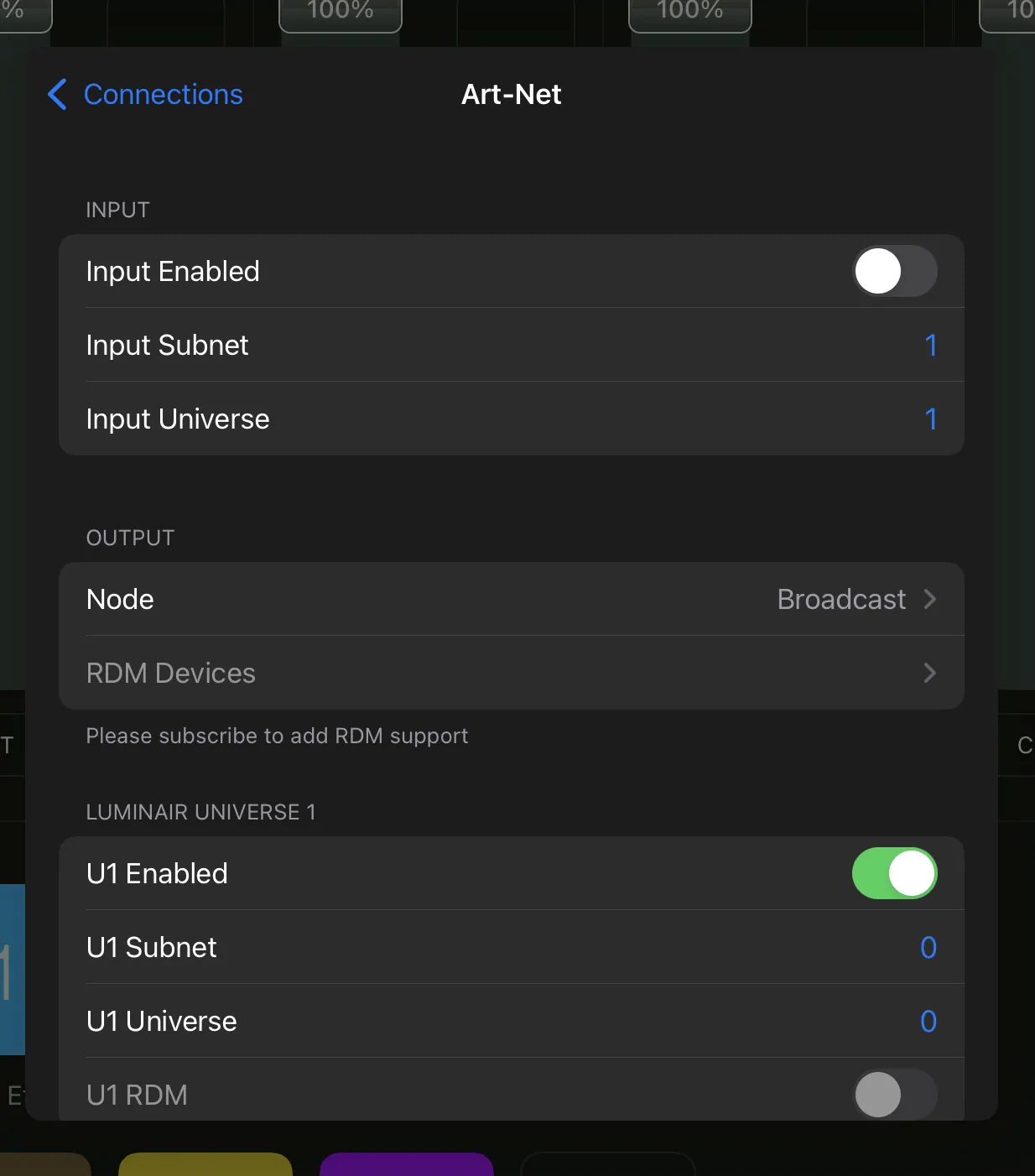
- Now navigate to Connections > Art-Net
- Make sure U1 Enabled is ticked and Universe and Subnet are both 0
- Make sure Broadcast is also enabled. If you want slightly better stability you can switch to Art-Net Unicast by disabling Broadcast and typing in your new Cerise IP address from step 5.