Blackout won’t output anything. Cerise is properly detected, displays as a network interface, I can access the WebUI but I can’t get data out of Blackout
Original article : https://help.center.blackout-app.com/servicedesk/customer/portal/3/article/20283396
Follow these steps in order for a swift resolution:
- Check Link Status:
- In Blackout, navigate to the 'Link Status' dropdown. A RED indicator means Blackout is not connected to your hardware.
- Update Your Software:
- Ensure your device runs on iOS 17.x or newer.
- Verify that you are using the latest release version of Blackout.
- Account Verification:
- Confirm you're logged into a valid account with an active subscription. You can check this by tapping the Blackout logo in the top right corner.
- Network Connectivity:
- Ensure a stable and active wired or Wi-Fi connection to your lighting network.
- IP Configuration:
- Verify that the IP address of your iPad aligns with the range of your network, gateway, or node. For assistance, refer to my video: Troubleshooting Blackout in 5 min or less!
- Protocol Alignment:
- Confirm that you're using the correct output protocol. For instance, if your gateway is configured for sACN but you are sending Art-Net, this mismatch will cause issues.
- Art-Net Specifics:
- Art-Net Offset: Art-Net numbering starts from 0. Ensure that the offset in Blackout matches your Art-Net node's settings. For example:
| Art-Net Numbering | Actual Universe |
|---|---|
| 0 | 1 |
| 1 | 2 |
If your Art-Net node is set to Universe 1, the offset in Blackout should also be set to 1.
Limited Broadcast Art-Net Nodes:
-
- Some Art-Net nodes are configured to only receive Limited Broadcast Art-Net (Art-Net broadcast to the IP 255.255.255.255).
While using Limited Broadcast is operational in a closed network, it's important to note that it diverges from the standard Art-Net specifications and might not be ideal in all scenarios.
For more information: Casting
iOS Access Settings:
-
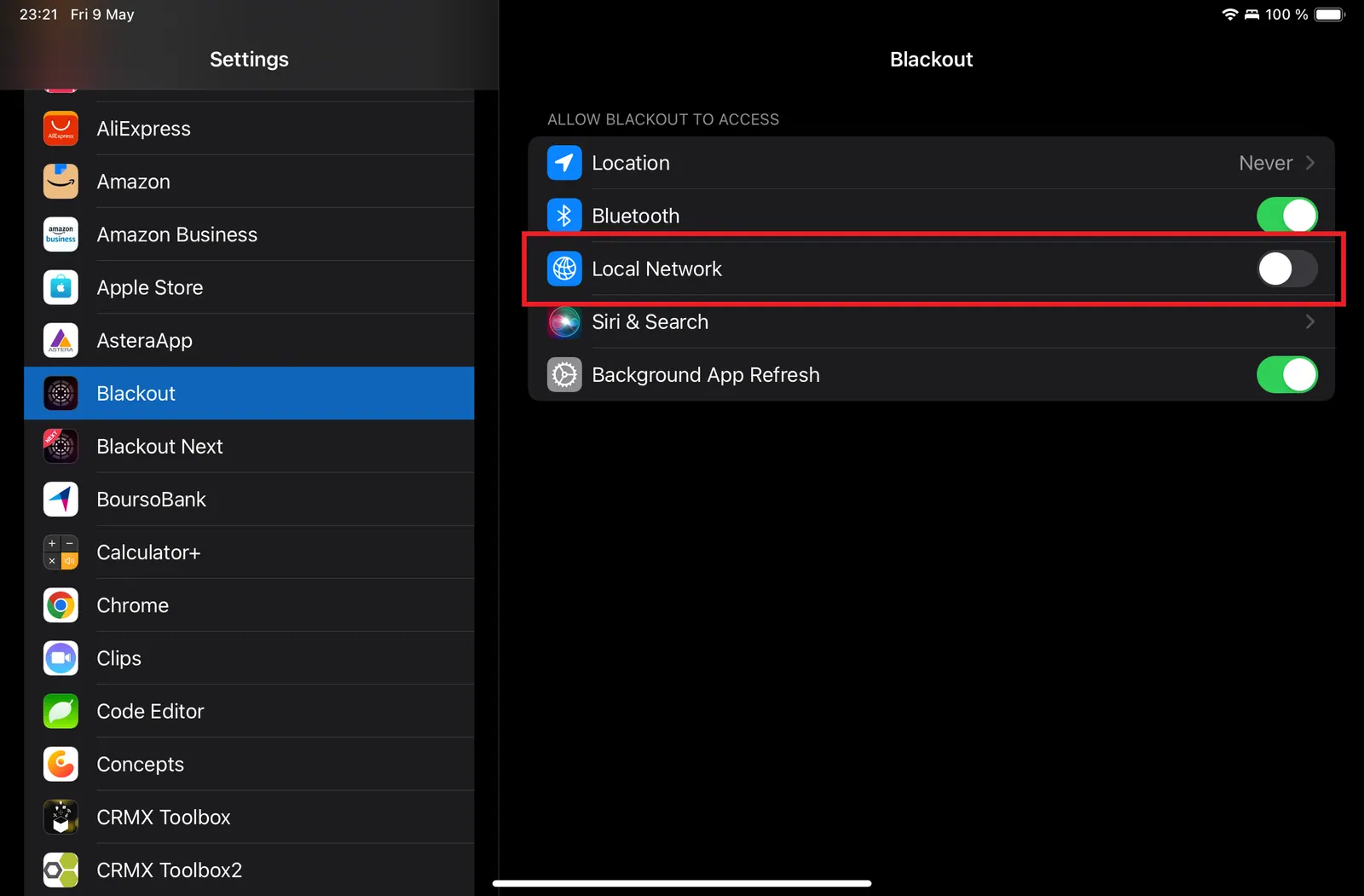
- When you install Blackout a quick popup appears asking permission for Blackout to utilize connecting to devices on your local network. If you do not click “OK” on this popup Blackout cannot output anything. You can go to iOS Settings->Blackout (scroll down in the left sidebar) and turn ON “Local Network.” Video for reference: Troubleshooting Blackout in 5 min or less!