
Config
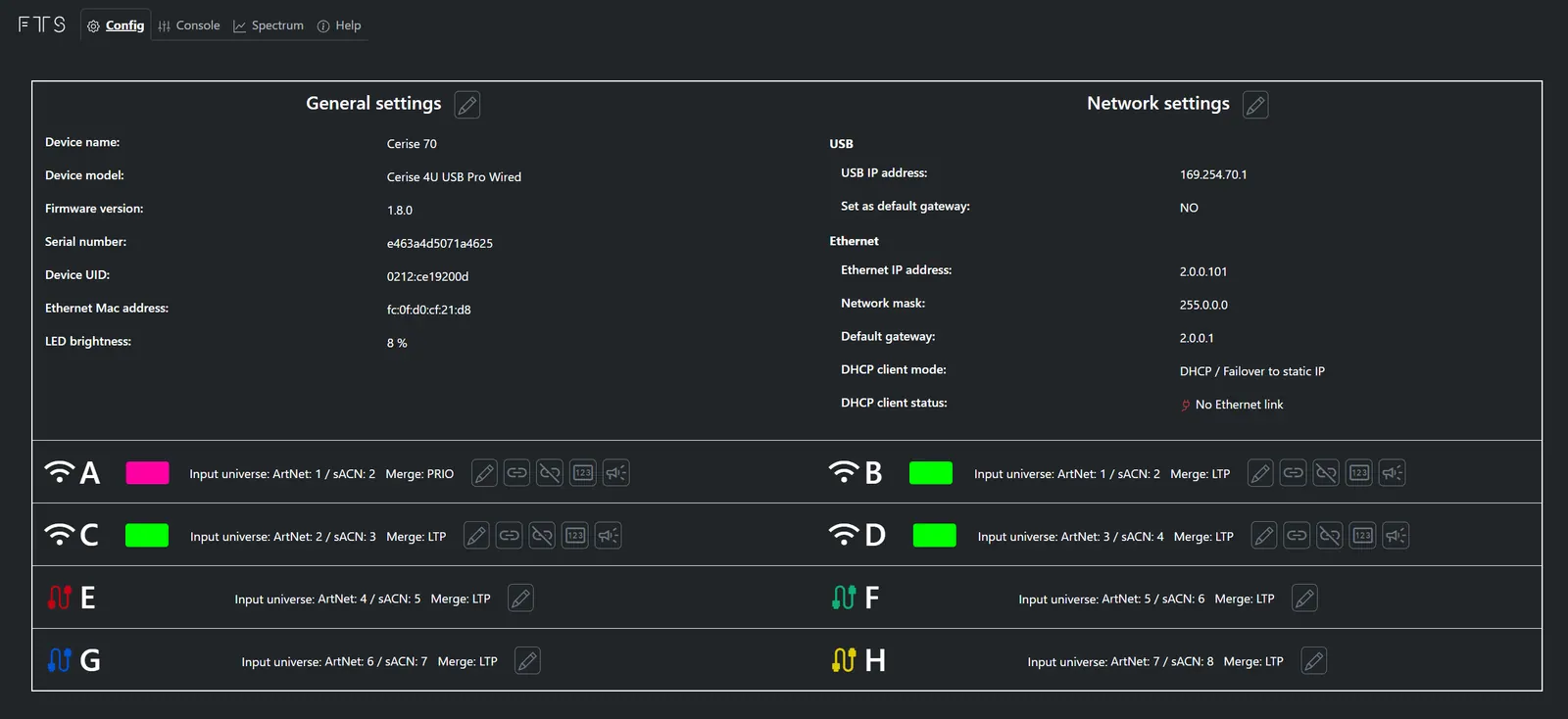
Cerise can be fully operated from it’s WebUI, to access it, just type in the corresponding IP in a web browser, the default IP are 169.254.XX.1 if connected via USB or 2.00.101 if connected via Ethernet (note that these IP addresses can be changed in the WebUI. Your device's USB IP can either be found by looking on the sticker on the back of the device or by going to your ipad General settings > Ethernet > Cerise (ie. Cerise 2UPW 169.254.46.1). We recommend leaving the settings by default if you are using Cerise with an iPad, all the default parameters are tested and work out of the box with most apps out there.
💡Tip : You can disable status LEDs by setting the LED brightness to 0%.
💡Info : Starting 1.8.x the default IP changes, it goes from 169.254.xx.1 to 10.206.xx.1, you might need to factory reset your device upon updating. (ie. 169.254.46.1 would become 10.206.46.1)
Changing USB IP address
To change the Cerise’s default USB IP address, just change the USB IP address field and power cycle the device.
💡Tip : You do not need to change any of the Ethernet related settings (Address, Network Mask, Default gateway …).
Changing Ethernet IP address
To change the Cerise’s default Ethernet IP address, just change the Ethernet IP address, as well as the corresponding Network mask and Default Gateway field and power cycle the device.
💡Note that your device's USB IP address will always have the last digit increased. If the transmitter’s USB IP is 169.254.46.1, your device (iPad, computer …) will have the 169.254.46.2 address. Certain browsers such as Safari have issues with 2.x.x.x IPs, we recommend using Google Chrome. If you’ve changed your IP from the factory one and can’t access the web page, make sure you’ve disabled your Wi-Fi settings as these might conflict. If you still can't access it, consider factory reseting your device.
USB default gateway (only for USB)
Setting the USB default gateway does exactly what it says, it configures a gateway for the USB interface, unfortunately, if your device is connected to the internet via a Wi-Fi or wired connection to your router, it will serve as a gateway too, causing conflicts. We recommend enabling this feature if you do not require internet while using the transmitter (i.e. you have a dedicated ipad for set) and wish to use Art-Net Broadcast or sACN protocols via USB.
💡On version 1.6.x and up the option “USB set default gateway” is disabled by default.
Functional network diagram
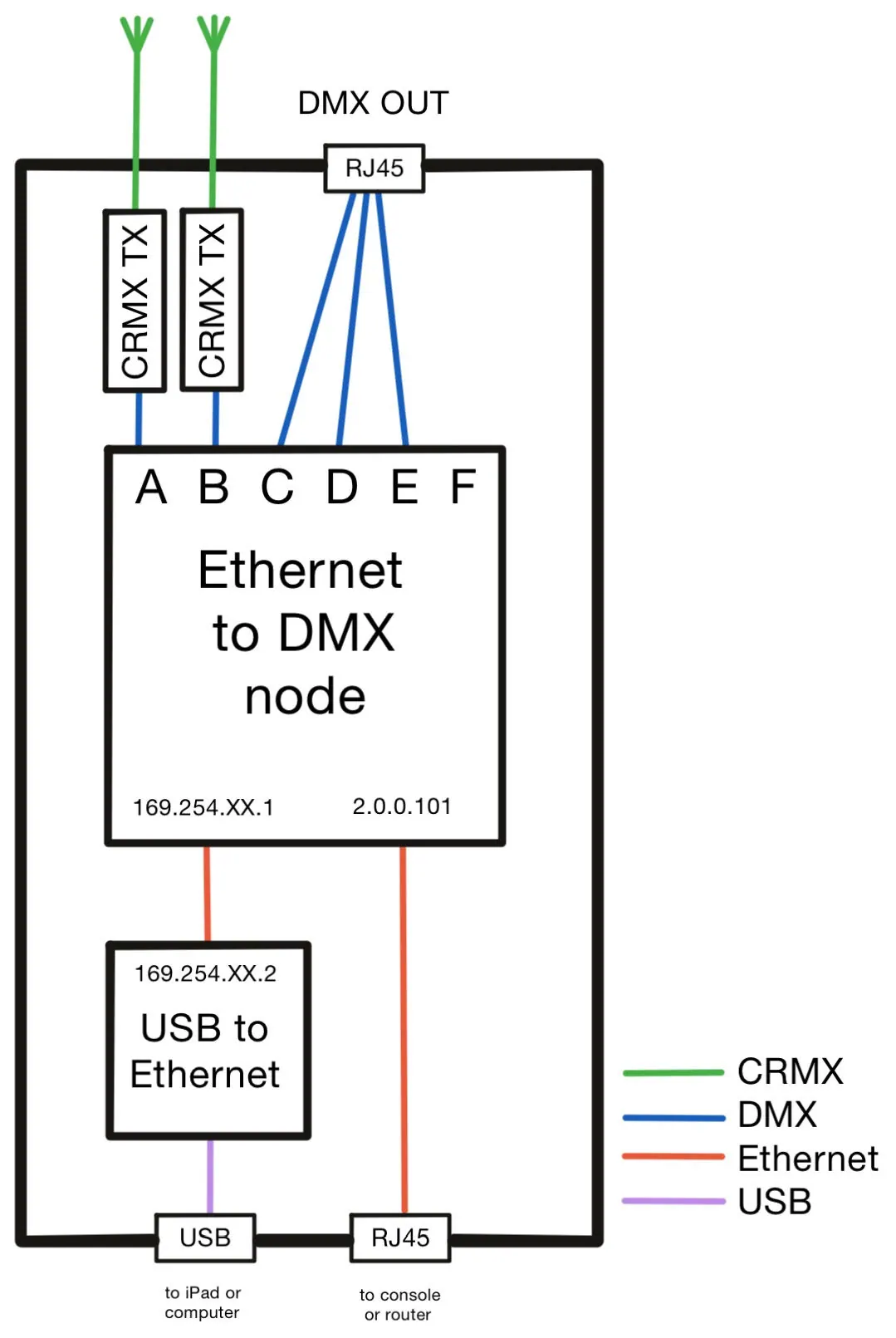
Cerise works like any other USB to Ethernet adapter and is supported on most platforms without the need to install any drivers.
It creates its own dedicated network between its virtual network card and DMX node, with a default IP that begins with 169.254.XX.X
The DMX nodes has 1 (1U USB) to 8 (4U PRO WIRED) outputs depending on the product version.
If you are using Cerise with an Ethernet adapter, the webUI’s IP address is different from USB, by default it is 2.0.0.101