
Product specifications and layout
Detailed product specification table
| Model | 1U | 2U Pro | 2U Pro Wired | 4U Pro | 4U Pro Wired |
|---|---|---|---|---|---|
| CRMX universes | 1 | 2 | 2 | 4 | 4 |
| USB C connector | ✅ | ✅ | ✅ | ✅ | ✅ |
| Ethernet | ❌ | ✅ | ✅ | ✅ | ✅ |
| RF spectrum analyzer | ✅ (firmware 1.8.11) | ✅ | ✅ | ✅ | ✅ |
| Power Over Ethernet | ❌ | ✅ | ✅ | ✅ | ✅ |
| Wired DMX universes out | ❌ | ❌ | 4 isolated input/output via second RJ45 connector | ❌ | 4 isolated input/output via second RJ45 connector |
| CRMX Linking Key | ✅ | ✅ | ✅ | ✅ | ✅ |
| Power input | USB-C 5 V | USB-C 5 V · PoE 802.3af | USB-C 5 V · PoE 802.3af | USB-C 5 V · PoE 802.3af | USB-C 5 V · PoE 802.3af |
| Total DMX universes | 1 | 2 | 6 | 4 | 8 |
USB :
Max power draw : up to 5V 3A
USB revision compatibility : USB 1.1
Network speed via USB : 10mbps
Ethernet :
Link speed : 10/100
Auto MDI-X NOT compatible
Power over Ethernet compatibility
IEEE802.3af compliant
Input voltage range 36V to 57V
Mode A & B
UI :
1 Status LED / Boot button
1 universe color LED / linking button per universe
DMX :
Output frequency 41Hz
Merging type : HTP (default), LTP or Priority
Network Protocols supported : simultaneous Art-Net & sACN
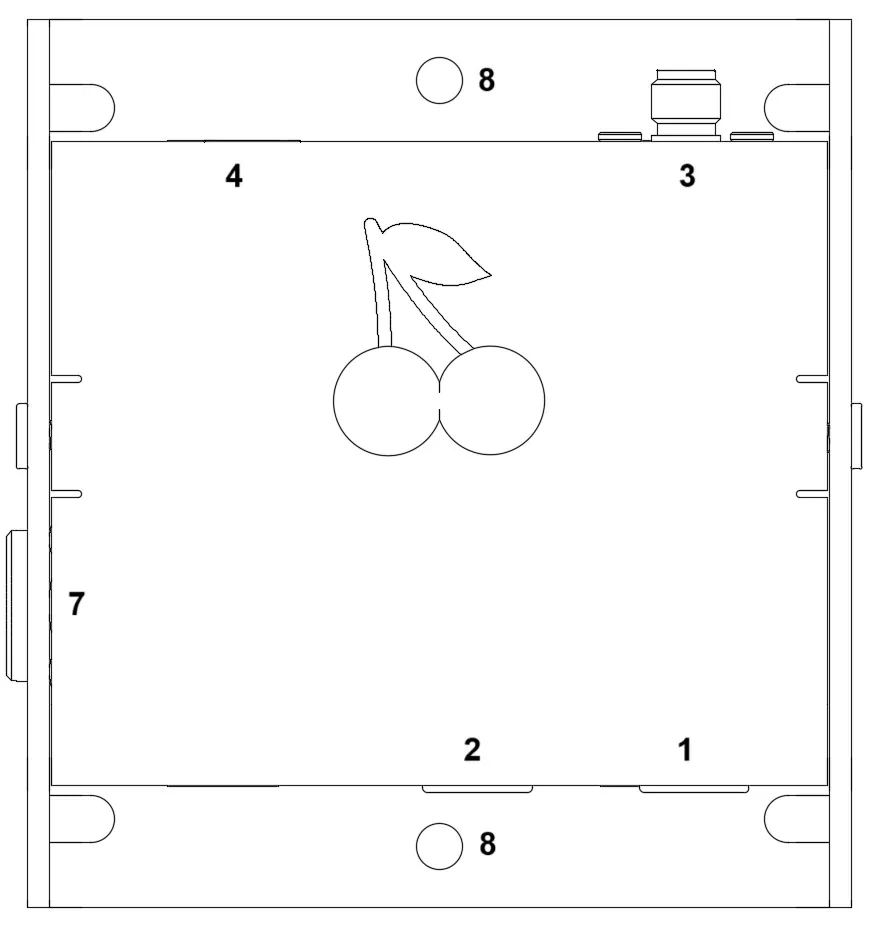
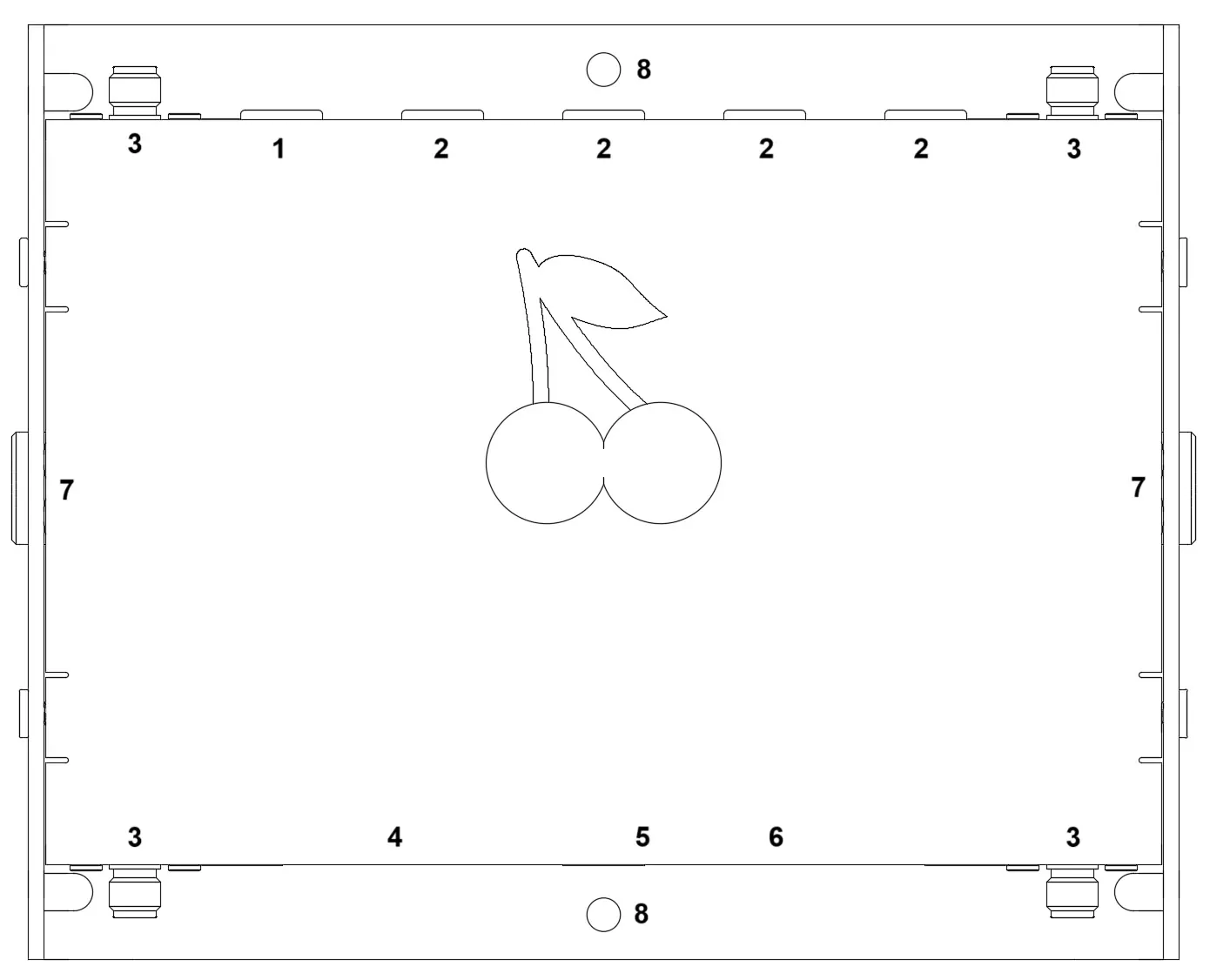
- BOOT button / status LED
- Green = Powered
- Cyan = USB link established
- CRMX linking buttons
- Blinking = waiting for signal
- Static = sending data
- RP-SMA antenna connectors
- USB type-C connector
- Ethernet 10/100 RJ45 PoE connector
- Wired DMX output
- 1/4” thread mounting point
- M4 mounting holes (4.2mm)
Warning
Always keep the antennas connected. Never power Cerise without its antennas, and never remove them while it's running: transmitting without an antenna can damage the radios. Some third-party antennas can also damage Cerise. Be wary of specs that look too good to be true, such as a 24 dBi gain on a small antenna, and check them before use.
Warning
Only ever give Cerise 5 V. Some D-tap to USB-C cables output 15 V on USB-C, which destroys Cerise. Some passive USB-C splitters also send the same voltage to both ports: if Cerise shares one with a device that negotiates 15 V over USB Power Delivery, such as a charging iPad or laptop, Cerise gets 15 V too. To charge your iPad while you use Cerise, use the adapter supplied with it.
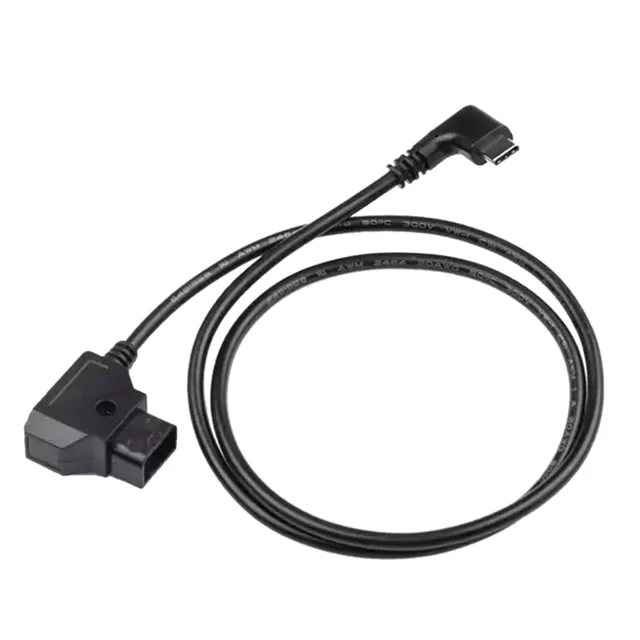
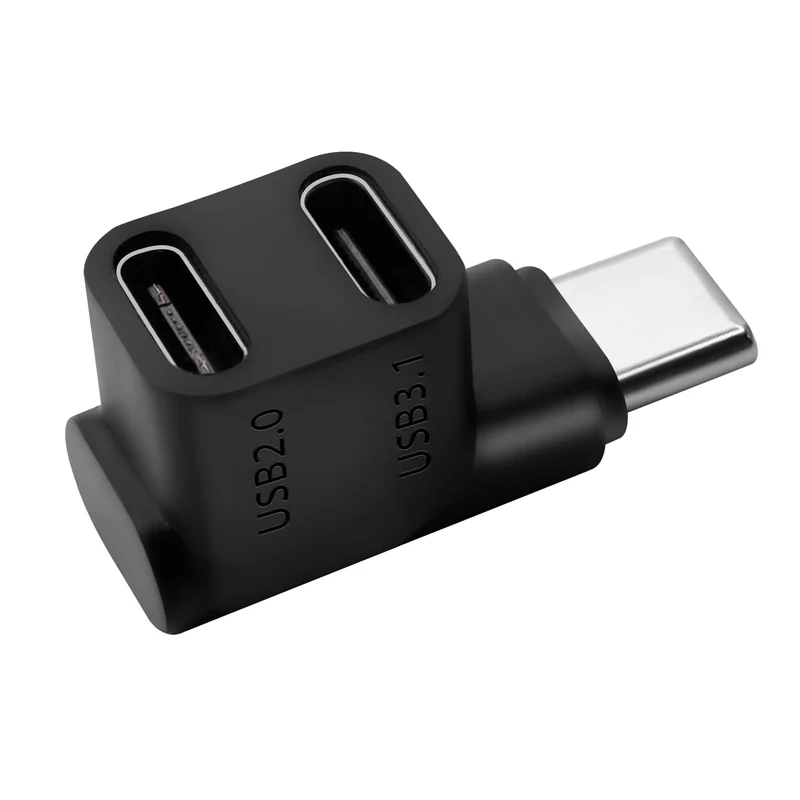
Using antennas or cables other than those supplied can damage your Cerise and void its warranty. If you're unsure, contact our support.